


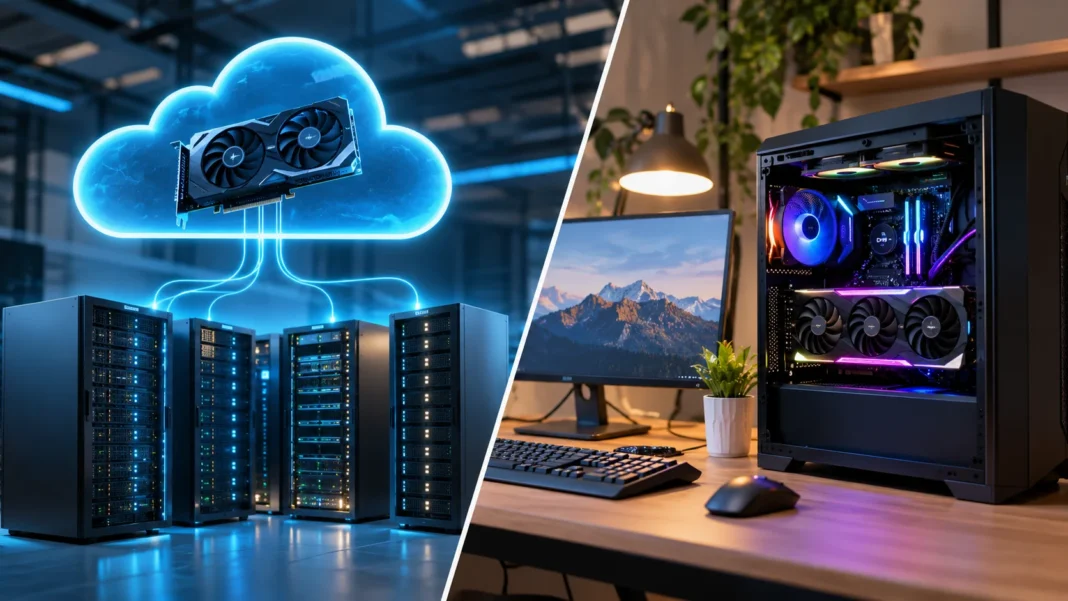

Graphics Processing Units (GPUs) have become essential for modern computing, especially in artificial intelligence, gaming, video editing, and machine learning. As technology advances, individuals and businesses have two main options for accessing GPU power: cloud-based GPUs and locally installed GPUs. Understanding cloud GPU vs local GPU helps users compare performance, costs, flexibility, and practical requirements before choosing the right computing solution.
A cloud GPU provides graphics processing power through remote servers, while a local GPU operates directly inside a computer or workstation. Both can handle demanding workloads, but they differ in accessibility, hardware ownership, maintenance, and scalability. This guide explains how cloud and local GPUs work, their advantages and disadvantages, and which option may be suitable for different computing needs.
What Is a Cloud GPU?
A cloud GPU is a graphics processing unit hosted in a remote data center and made available through cloud computing services. Instead of purchasing and installing physical hardware, users access GPU resources over the internet. These resources can support artificial intelligence, machine learning, video processing, and other computational workloads. Cloud providers manage the underlying physical infrastructure.
Cloud GPU services generally operate through virtual machines, containers, managed platforms, or dedicated hardware instances. Users select resources based on processing requirements, memory capacity, and workload characteristics. Depending on the provider, billing may be based on usage time or reserved capacity. This flexibility allows organizations to access powerful computing systems without purchasing every component.
One important advantage of cloud GPUs is remote accessibility. Developers and researchers can connect to suitable computing resources from different locations. However, cloud performance depends on factors such as resource availability, network conditions, and instance configuration. Understanding these limitations is important when evaluating cloud-based GPU solutions.
What Is a Local GPU?
A local GPU is a graphics processing unit installed inside a personal computer, workstation, or locally managed server. It processes graphical and computational tasks directly on the user’s hardware. Local GPUs are commonly used for gaming, video editing, three-dimensional rendering, and artificial intelligence development. Their performance depends on the installed hardware and supporting system components.
A local GPU may be integrated into a processor or installed as a dedicated graphics card. Dedicated GPUs typically provide their own memory and processing resources for demanding applications. Users can select hardware according to their performance requirements and available budget. However, compatibility with the motherboard, power supply, and cooling system must be considered.
Local GPUs provide direct control over hardware and software configuration. Users can install compatible drivers, adjust application settings, and manage workloads without depending on a remote computing provider. However, ownership also involves maintenance, electricity costs, and eventual hardware replacement. These responsibilities distinguish local GPU computing from many cloud-based services.
Cloud GPU vs Local GPU: Key Differences
The main difference between a cloud GPU vs local GPU is where the computing hardware operates. Cloud GPUs run in remote data centers and are accessed through network connections. Local GPUs operate directly within a computer or locally managed system. This distinction influences costs, resource management, accessibility, and performance.
Cloud GPU services typically follow a usage-based or subscription pricing model, while local GPUs usually require an initial hardware purchase. Cloud users can often select different configurations as workloads change. Local users remain limited by their installed hardware unless they upgrade it. However, local systems do not continuously incur cloud instance rental charges.
Both approaches can deliver strong performance when appropriately configured. Cloud GPUs offer flexibility for temporary or changing workloads, while local GPUs provide convenient access to owned processing resources. Neither option is automatically better for every task. The ideal choice depends on workload duration, software requirements, budget, and technical expertise.
Cloud GPU vs Local GPU Performance Comparison
GPU performance depends on architecture, processing capability, memory capacity, and software optimization rather than location alone. A powerful cloud GPU may outperform a modest local graphics card. Similarly, a high-end local GPU may deliver better results than an entry-level cloud instance. Comparing actual hardware specifications is essential.
Cloud GPUs can support demanding workloads using specialized data center hardware. Some services provide GPUs designed for artificial intelligence training, scientific computing, or high-performance rendering. However, performance may vary depending on resource allocation and instance configuration. Shared environments can also introduce limitations that may not exist with dedicated hardware.
Local GPUs can provide highly responsive performance for applications running directly on the computer. They avoid the network delays associated with accessing remote systems. However, local performance is limited by available hardware, cooling, power delivery, and system memory. The best comparison uses relevant benchmarks for the intended application.
Cost Differences Between Cloud and Local GPUs
Cost is one of the most important considerations when choosing between cloud and local GPU computing. Purchasing a local GPU requires an initial investment in hardware. Additional expenses may include a compatible computer, cooling equipment, electricity, and maintenance. However, the hardware remains available without continuous rental payments.
Cloud GPU services generally allow users to pay for computing resources according to selected pricing arrangements. This can be useful for occasional projects that do not justify purchasing expensive equipment. However, charges may accumulate during long-running workloads. Data storage, network transfers, and idle instances can also increase the total bill.
The most affordable option depends on how frequently the GPU is used. A local GPU may provide better long-term value for consistent workloads, while cloud resources can be economical for temporary projects. Organizations should compare total ownership costs with realistic cloud usage estimates. Short-term pricing alone does not reveal the complete financial picture.
Scalability and Flexibility of Cloud GPUs
Scalability refers to the ability to increase or reduce computing resources according to changing requirements. Cloud GPU platforms can provide access to different hardware configurations without requiring users to purchase new physical components. This can be useful when workloads change significantly. However, available capacity depends on the provider and selected region.
For example, a development team may need modest computing resources during initial testing but substantially more processing power during model training. Cloud services can allow the team to select different instances for these stages. Some platforms also support multiple GPUs working together. This flexibility can reduce the need for permanent hardware investments.
Local GPU scalability is more dependent on physical infrastructure. Upgrading may require purchasing additional graphics cards, increasing power capacity, or replacing other computer components. These changes can take time and involve compatibility concerns. Nevertheless, local systems can remain practical when computing requirements are stable and predictable.
Cloud GPU vs Local GPU for AI and Machine Learning
Artificial intelligence and machine learning applications often require substantial parallel processing power. GPUs accelerate operations used in neural networks, model training, and certain inference workloads. Both cloud and local GPUs can support these tasks. The most suitable choice depends on model size, dataset requirements, and available hardware resources.
Cloud GPUs are useful for training large models or experimenting with configurations that exceed the capacity of a personal computer. Researchers can access specialized hardware without maintaining expensive local infrastructure. However, large datasets may require significant upload time and storage expenses. Cloud environments also need appropriate security and access controls.
Local GPUs can be practical for learning machine learning, testing smaller models, and running compatible AI applications. They provide direct access to computing resources without requiring continuous internet connectivity for local processing. However, limited GPU memory may restrict larger workloads. Many developers combine local experimentation with cloud training when additional capacity is necessary.
Cloud GPU vs Local GPU for Gaming and Video Editing
Gaming typically benefits from responsive graphics processing and minimal input delay. Local GPUs perform graphics calculations directly on the computer, providing a close connection between the application and display. This can make them suitable for games requiring quick reactions. Performance still depends on the GPU, processor, display, and game settings.
Cloud gaming services render games on remote systems and stream the results to the user’s device. This approach can reduce the need for expensive local graphics hardware. However, network latency, bandwidth, and connection stability can influence the experience. Visual quality may also be affected by video compression and streaming conditions.
Video editing and rendering can use either cloud or local GPU resources. Local hardware is convenient for projects involving frequent timeline interactions and large media files stored nearby. Cloud systems can support demanding rendering tasks or collaborative production workflows. The better option depends on file sizes, application compatibility, and production requirements.
Security and Data Privacy Considerations
Data security is an important factor when selecting a GPU computing environment. Local GPUs allow processing to take place on systems controlled by the user or organization. This may simplify certain data-handling requirements when sensitive files remain within an approved environment. However, local computers still require appropriate security protections.
Cloud GPU systems involve transferring or storing information within infrastructure operated by a service provider. Reputable platforms offer security capabilities such as encryption, identity management, and access controls. However, customers remain responsible for configuring these protections correctly. Data residency, contractual obligations, and regulatory requirements may also affect provider selection.
Neither cloud nor local computing is automatically secure in every situation. A poorly protected local workstation can expose sensitive information, while a misconfigured cloud environment can create similar risks. Organizations should evaluate access permissions, backup procedures, and data-handling policies. Security decisions should reflect the sensitivity of the workload.
Maintenance, Reliability, and Internet Requirements
Local GPUs require ongoing attention to hardware condition, software updates, and system cooling. Users may need to install compatible drivers or troubleshoot performance problems. Hardware failures can interrupt work until repairs or replacements are completed. However, local processing can continue without an internet connection when the application supports offline operation.
Cloud GPU providers manage much of the physical infrastructure, including data center equipment and hardware replacement. This reduces the need for customers to maintain individual graphics cards. However, users still manage applications, operating systems, configurations, and certain software updates. Maintenance responsibilities vary according to the selected service.
Reliable internet connectivity is important when using cloud GPUs remotely. Network interruptions may disrupt access to interactive sessions or delay data transfers. Cloud services can also experience outages or resource shortages. Local systems avoid some network dependencies but remain vulnerable to electricity interruptions and hardware problems.
How to Choose Between Cloud GPU and Local GPU
Choosing between cloud and local GPU computing begins with understanding the intended workload. Consider whether the application requires constant processing, occasional high-performance computing, or interactive graphics. GPU memory, software compatibility, and performance requirements should guide the decision. Identifying these needs helps prevent unnecessary spending.
Budget planning is equally important because the two approaches involve different cost structures. Cloud services may reduce initial hardware expenses but generate recurring charges. Local GPUs require upfront investment and ongoing electricity and maintenance costs. Comparing expected usage over several months can provide a more realistic financial picture.
A hybrid approach may also be useful for certain individuals and organizations. Local GPUs can handle routine development and everyday tasks, while cloud GPUs provide additional capacity for demanding projects. This combination offers flexibility without requiring every workload to run remotely. The best choice ultimately depends on computing requirements, affordability, and operational preferences.
Conclusion
The cloud GPU vs local GPU comparison highlights important differences in infrastructure, performance, costs, and accessibility. Cloud GPUs provide remotely accessible computing resources with flexible hardware configurations. Local GPUs offer direct hardware control and convenient processing on owned systems. Both approaches support applications involving artificial intelligence, gaming, rendering, and other demanding computational tasks.
Cloud computing can be attractive for temporary workloads, specialized hardware requirements, and projects that need scalable resources. Local GPU computing may be more suitable for consistent usage, low-latency applications, and situations requiring direct hardware access. However, the overall value depends on workload characteristics and total costs. Security and maintenance responsibilities should also influence the decision.
Ultimately, choosing the right GPU solution requires balancing technical requirements with practical limitations. Compare hardware performance, memory capacity, software compatibility, and expected usage before committing to either option. Some users may benefit from combining both approaches. A well-informed choice can improve computing efficiency while keeping resources aligned with actual needs.
Frequently Asked Questions (FAQs)
What is the main difference between cloud GPU and local GPU?
A cloud GPU operates on remote servers accessed through the internet, while a local GPU runs inside a computer or locally managed system. They differ in ownership, pricing, accessibility, and maintenance requirements.
Is a cloud GPU better than a local GPU?
Neither option is universally better. Cloud GPUs provide flexibility and access to specialized hardware, while local GPUs offer direct control and low-latency processing. The best choice depends on workload and budget.
Are cloud GPUs cheaper than local GPUs?
Cloud GPUs can be more affordable for occasional or temporary workloads because they avoid large initial hardware purchases. However, frequent use and additional service charges may make local hardware more economical over time.
Can I use a cloud GPU for AI and machine learning?
Yes, cloud GPUs are widely used for AI training, machine learning experiments, and inference applications. They can provide access to high-memory GPUs and scalable infrastructure for demanding computational projects.
Do cloud GPUs require an internet connection?
Yes, cloud GPU services generally require internet connectivity for remote access and management. Local GPUs can process supported applications offline, although some software and online services may still require a connection.